
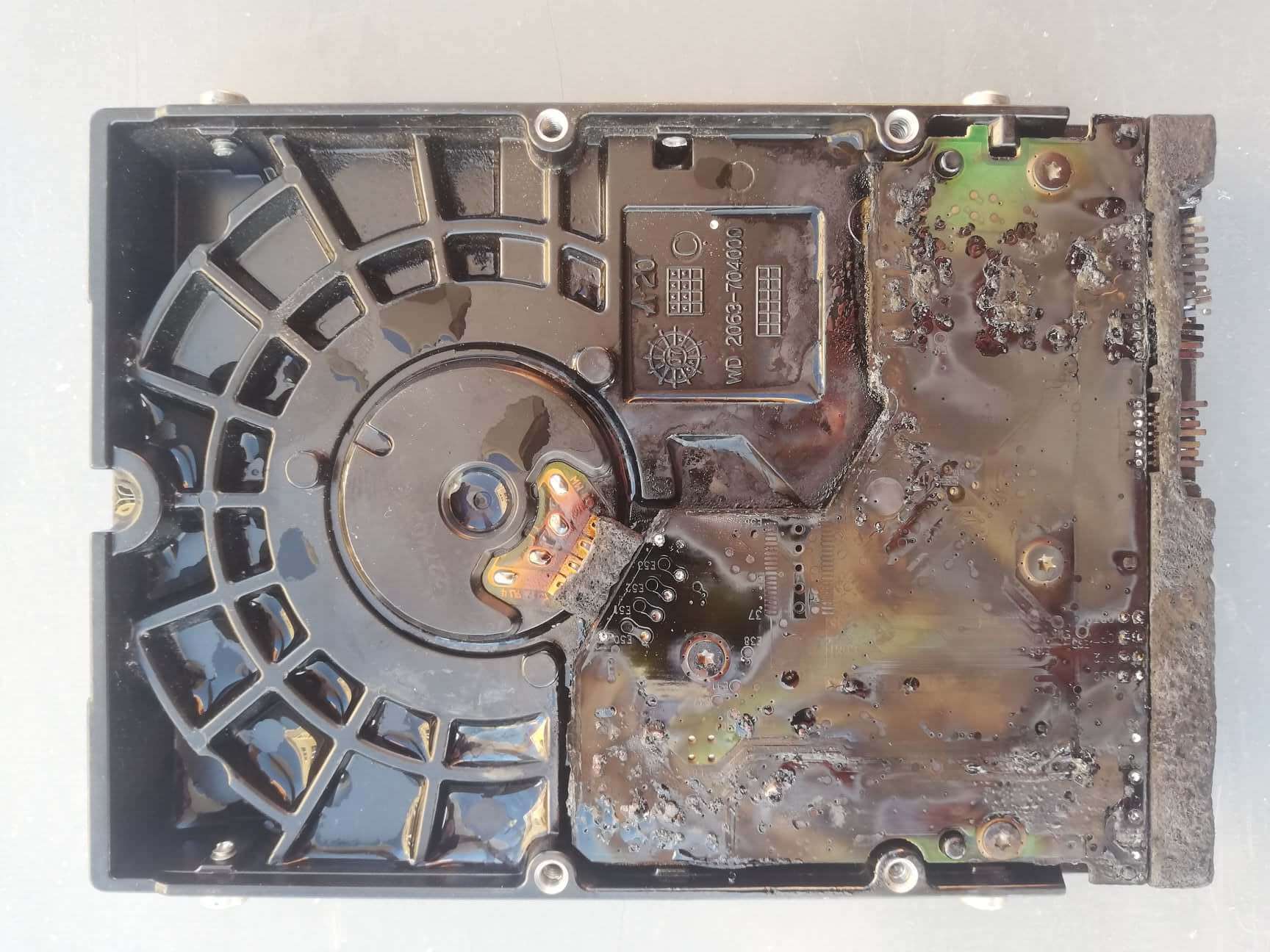
They say fire destroys everything. After such thermal damage, the situation seems hopeless. However, after disassembling the drive, it was found that the platters were intact. By repairing the drive (replacing the burnt parts with donor components) and writing the appropriate firmware, the drive, although struggling, became readable. A 100% disk image was created, and the user’s data/files were transferred to an additional storage device provided.
Data recovery from hard disk drives (HDD) can be challenging, especially when data is lost due to disk failure or accidental deletion. Here is some general information on how data recovery can be attempted:
Consult with specialists: If data recovery software hasn’t helped or if the issue involves a physical hard drive failure, it’s best to turn to professionals. There are companies specializing in data recovery that can retrieve data from a damaged disk.
Do not use the disk: When a hard drive fails or data is lost, it is important to immediately stop any use of the disk. Avoid writing new data or installing anything on the same drive, as this can overwrite or alter existing data, making it difficult or impossible to recover.
Copy the data: If you manage to recover the data, it is essential to immediately copy it to another secure storage device. This will ensure that the recovered information is not lost again.
It is important to understand that data recovery is not always guaranteed to be successful, especially if the disk failure is severe or if there is physical damage to the disk. Prevention is key – regularly creating backups ensures that lost data can be quickly restored from a safe location.